What is Geometry Dash Lite?
Geometry Dash Lite is the free, ad-supported version of the legendary rhythm-based platformer developed by RobTop Games. If you've ever searched for "Geometry Dash Lite," you're likely looking for a way to experience one of the most addictive mobile games ever created—without committing to a purchase.
With over 500 million downloads on Google Play and a stellar 4.4-star rating, Geometry Dash Lite serves as the perfect introduction to the Geometry Dash universe. It delivers the core gameplay experience that has captivated millions of players worldwide since the game's initial release.
Unlike the paid full version, Geometry Dash Lite gives you access to 13 carefully selected official levels absolutely free. This makes it an ideal starting point for newcomers who want to test their reflexes before deciding whether to invest in the complete experience.
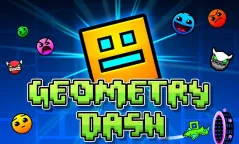
Geometry Dash Lite - The Free Entry Point
Why Users Search for "Geometry Dash Lite"
Based on search trends and player behavior analysis, users searching for "Geometry Dash Lite" typically fall into several distinct categories:
1. First-Time Players Looking for a Free Trial
Many gamers want to experience Geometry Dash's unique gameplay without spending money. They may have heard about the game from friends, social media, or YouTube content creators and are looking for a risk-free way to try it out.
2. Mobile Users Seeking the Official App
Unlike the browser-based versions available on platforms like GeometryDashJA, mobile users specifically want the app version for its optimized touch controls and offline play capability.
3. Parents Evaluating the Game for Kids
Parents often search for "Geometry Dash Lite" to evaluate whether the game is appropriate for their children before making a purchase decision. The free version allows them to assess gameplay, difficulty, and potential concerns about flashing lights.
4. Players Comparing Versions
Some users want to understand the differences between Lite and Full versions to make an informed purchasing decision. They're trying to determine if the paid upgrade is worth the investment.
Geometry Dash Lite vs Full Version: What's the Difference?
Understanding the differences between versions helps you decide which one suits your needs best.
| Feature | Geometry Dash Lite | Geometry Dash Full Version |
|---|---|---|
| Official Levels | 13 levels | 21+ levels |
| Custom Levels | Not available | Millions of community levels |
| Game Modes | Cube, Ship, Ball | Cube, Ship, Ball, UFO, Wave, Robot, Spider |
| Level Editor | Not available | Full editor with sharing |
| Character Customization | Limited | Extensive (icons, colors, trails, effects) |
| Price | Free (with ads) | $1.99-3.99 one-time purchase |
| Ad Support | Yes | No (ad-free) |
| Map Packs & Gauntlets | Not available | Available |
| Online Leaderboards | Limited | Full leaderboard access |
| Cloud Saves | Not available | Available |
2026 Update: What's New in Geometry Dash Lite
The January 2026 update brought significant improvements to Geometry Dash Lite:
- New Level: Fingerdash - A fan-favorite level now accessible in the Lite version
- New Demon Level: Deadlocked - An extreme challenge for skilled players
- Improved Controls: New "Click Between / On Steps" precision options
- Enhanced Leaderboards: Separate rankings for Moons, Demons, and User Coins
- Unlockable Gauntlets: Special challenge sequences now available
- Better Networking: Improved online connectivity
- Bug Fixes: Various stability improvements
Geometry Dash Download: Where and How to Get the Game
Searching for "Geometry Dash download"? Here's everything you need to know about downloading Geometry Dash Lite and the full version on different platforms.
Download Geometry Dash Lite (Free)
Geometry Dash Lite is the free version available on official app stores:
| Platform | Download Link | Size | Requirements |
|---|---|---|---|
| Android | Google Play Store | ~100 MB | Android 4.1+ |
| iOS | Apple App Store | ~150 MB | iOS 8.0+ |
| Windows | Microsoft Store | ~100 MB | Windows 10+ |
Download Geometry Dash Full Version (Paid)
The complete Geometry Dash experience requires a one-time purchase:
| Platform | Price | Download Link | Includes |
|---|---|---|---|
| Android | $1.99 | Google Play Store | All 21 levels, no ads |
| iOS | $2.99 | Apple App Store | All 21 levels, no ads |
| Windows PC | $2.99 | Steam | All levels + editor |
| macOS | $2.99 | Steam | All levels + editor |
Download Geometry Dash on PC Without App Stores
If you want to play Geometry Dash on PC without purchasing through Steam:
- Browser Version: Play directly on GeometryDashJA - no download required!
- Scratch Version: Try community-created versions on Scratch
- 第三方网站: Some websites offer Flash/browser versions, but these may be outdated or unsafe
How to Download and Install Geometry Dash
For Mobile Users:
- Open your device's app store (Google Play for Android, App Store for iOS)
- Search for "Geometry Dash" or "Geometry Dash Lite"
- Tap Install/Get and wait for download to complete
- Open the app and start playing!
For PC Users (Steam):
- Download Steam if you don't have it at steampowered.com
- Create a Steam account or log in
- Purchase Geometry Dash ($2.99) or download Lite from Microsoft Store
- Launch from Steam library for automatic updates
Is Geometry Dash Download Safe?
Official downloads are 100% safe. Download only from:
- ✅ Google Play Store (Android)
- ✅ Apple App Store (iOS)
- ✅ Steam (PC/Mac)
- ✅ Microsoft Store (Windows)
Avoid unofficial sources that may contain:
- ❌ Malware or viruses
- ❌ Outdated versions with bugs
- ❌ Modified files that could ban your account
Geometry Dash Download Size and Storage
| Version | Approximate Size | Storage Required |
|---|---|---|
| Geometry Dash Lite (Mobile) | 100-150 MB | 200 MB recommended |
| Geometry Dash Full (Mobile) | 100-150 MB | 200 MB recommended |
| Geometry Dash (Steam) | 500 MB | 1 GB recommended |
| Browser Version | 0 MB | Just load the page! |
Download Issues? Troubleshooting
If you're having trouble downloading:
- Slow download: Check your internet connection; try switching from WiFi to mobile data on mobile
- Download stuck: Clear app store cache, restart your device
- Insufficient storage: Delete unused apps or files to free up space
- Region restrictions: Some older versions may not be available in all countries—update your app store region settings
How to Play Geometry Dash Lite Online
While Geometry Dash Lite is primarily a mobile app, you can enjoy similar gameplay experiences through browser-based platforms:
Play Instantly on GeometryDashJA
GeometryDashJA offers browser-based Geometry Dash games that provide the same addictive rhythm-platforming experience:
- Geometry Dash Full Version - Play the complete experience with all 21 levels
- Geometry Dash Lite - The Lite version accessible directly in your browser
- Geometry Game 3D - A 3D twist on the classic formula
- Geometry Dash v2 - Enhanced Scratch-based version with unique levels
These browser versions require no download or installation—just open the game and start playing!
Gameplay Overview: Master the Rhythm
Core Mechanics
Geometry Dash Lite follows the same satisfying formula that made the original game famous:
- Auto-Running: Your cube moves forward automatically at constant speed
- One-Touch Jumping: Press Space, click, or tap to jump over obstacles
- Rhythm-Synced Obstacles: Every spike, jump pad, and platform is synchronized to electronic music
- Instant Death: One wrong move sends you back to the beginning
- Practice Mode: Place checkpoints to master difficult sections
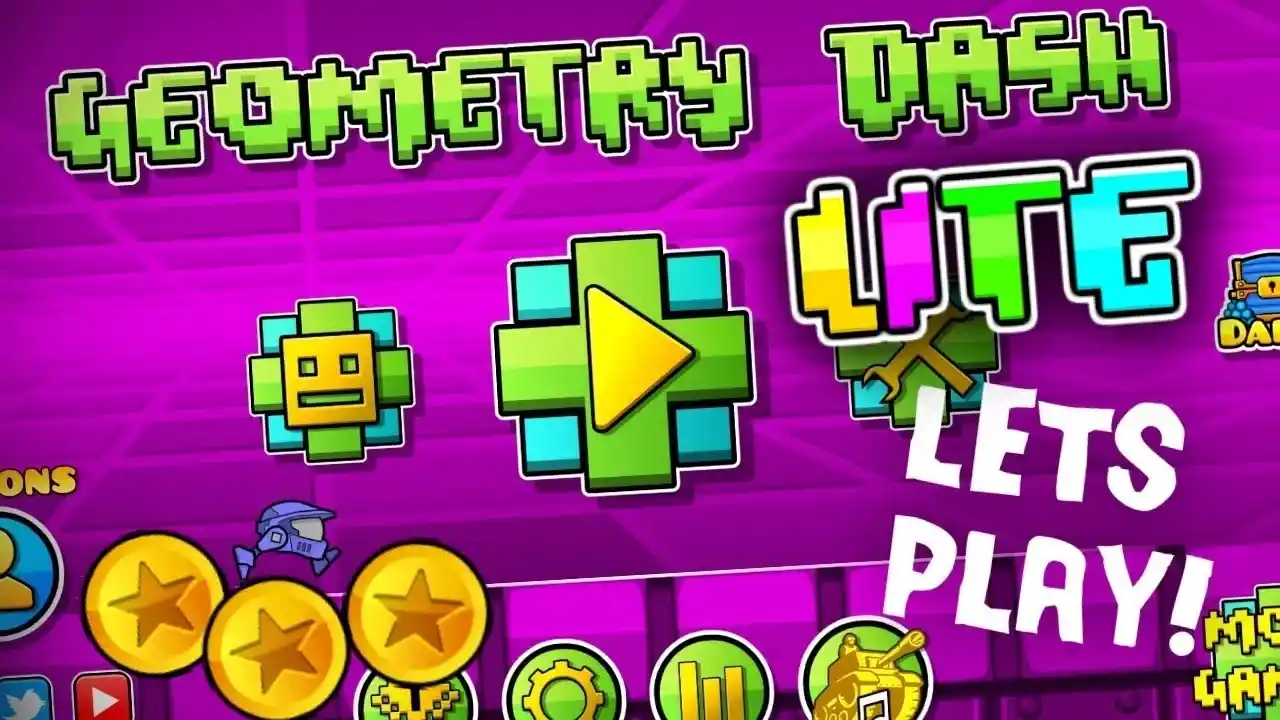
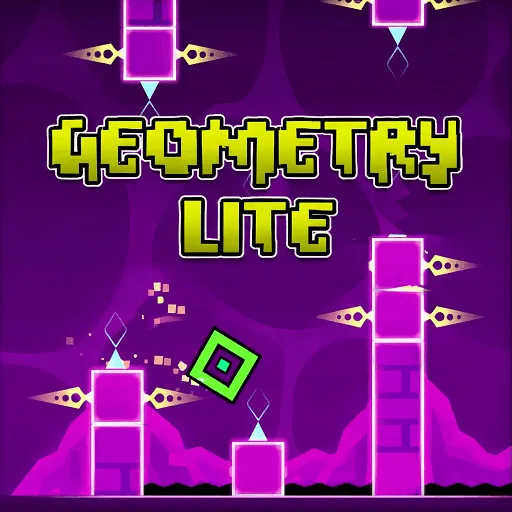
Experience the addictive rhythm-platforming gameplay
The Six Game Modes
While Geometry Dash Lite offers fewer modes than the full version, it still provides variety:
| Mode | Control Style | Description |
|---|---|---|
| Cube | Tap to jump | Standard mode—time your jumps perfectly |
| Ship | Hold to fly up | Gravity reverses—hold to rise, release to fall |
| Ball | Tap to flip gravity | Navigate upside-down sections |
The full version adds UFO, Wave, Robot, and Spider modes for even more gameplay variety.
Portal Mechanics
Master these portals to excel at Geometry Dash:
- Jump Pads (Yellow) - Launch you higher than normal jumps
- Gravity Portals - Flip your world upside down
- Speed Portals (Yellow/Pink) - Speed up or slow down
- Size Portals - Make your cube giant or tiny
- Mode Portals - Transform between vehicle types
The 13 Official Levels in Geometry Dash Lite
Geometry Dash Lite includes a curated selection of levels that showcase the game's progression:
Beginner-Friendly Levels (1-3 Stars)
- Back on Track - Your first journey begins here
- Stereo Madness - Learn timing with gentle obstacles
- Polargeist - Face your first real challenge
Intermediate Levels (4-5 Stars)
- Dry Out - Master the basics you've learned
- Base After Base - Consistent patterns emerge
- Cant Let Go - Building momentum
Advanced Levels (6-7 Stars)
- Jumper - Real difficulty begins
- Time Machine - Precision becomes essential
- Explode Beyond - Push your limits
Expert Levels (8+ Stars)
- The Seven Seas - Only the skilled prevail
- Viking Arena - Norse-themed intensity
- Acertony - Near perfection required
Bonus Level (Post-2026 Update)
- Fingerdash - The iconic finger-themed challenge
Tips for New Players
Start Slow, Build Skills
Don't rush to complete every level on your first attempt. Use Practice Mode to:
- Place checkpoints before difficult sections
- Break levels into smaller chunks
- Learn the exact timing of each obstacle
- Build muscle memory for common patterns
Watch and Learn
Study gameplay videos on YouTube to:
- See optimal routes through difficult sections
- Learn timing cues from experienced players
- Understand portal sequences before attempting them
- Pick up advanced techniques
Take Breaks
Geometry Dash can be frustrating. When stuck:
- Play easier levels to build confidence
- Take breaks to rest your reflexes
- Return with fresh eyes and steady hands
- Remember: every expert started exactly where you are
Equipment Matters
For the best experience:
- Use headphones for proper audio cues
- Play on a stable surface (not on the bus!)
- Ensure good lighting to see obstacles clearly
- Consider a tablet for larger touch targets
Is Geometry Dash Lite Worth Playing?
Pros
- 100% Free - No purchase required
- 13 Quality Levels - Hours of entertainment
- Core Experience - Same addictive gameplay as full version
- Low Barrier to Entry - Perfect for trying the game
- Updated in 2026 - Still actively maintained
Cons
- Frequent Ads - Free comes with advertising
- Limited Content - No custom levels or advanced modes
- Fewer Game Modes - Missing UFO, Wave, Robot, Spider
- Limited Customization - Basic icon options only
Verdict
Geometry Dash Lite is absolutely worth playing if you're:
- New to rhythm platformers
- Evaluating the game before purchase
- Looking for quick gaming sessions
- Playing on mobile devices
Upgrade to Full Version if you want:
- All 21+ official levels
- Millions of custom levels
- All game modes (UFO, Wave, Robot, Spider)
- Level editor and sharing
- Ad-free experience
- Complete customization options
Recommended Games on GeometryDashJA
Looking for similar experiences? Try these rhythm and platformer games:
Top Picks
| Game | Description | Try It |
|---|---|---|
| Geometry Dash Full Version | Complete 21-level experience | Play Now |
| Geometry Game 3D | 3D twist on the classic formula with stunning visuals and unique challenges | Play Now |
| Geometry Dash v2 | Enhanced Scratch version with new levels and features | Play Now |
Similar Rhythm Games
- Friday Night Funkin' (FNF) - Different rhythm game style with rap battles and story mode
- Geometry Dash Zetton_Pma - Fan-made challenge level
- Geometry Dash Jackpot - Quick-play version for fast sessions
Frequently Asked Questions
Q: Can I play Geometry Dash Lite on my computer?
A: Yes! While it's designed as a mobile app, you can play similar browser-based Geometry Dash games on GeometryDashJA using any modern web browser.
Q: Are my progress saved in Geometry Dash Lite?
A: Progress is saved locally on your device. The Lite version doesn't support cloud saves like the full version.
Q: Can I upgrade from Lite to Full Version?
A: Yes! If you're playing on mobile, you can purchase the full version from app stores. Your Lite progress won't transfer, but you can re-unlock content in the full version.
Q: Does Geometry Dash Lite have ads?
A: Yes, the free version includes advertisements. The paid full version is completely ad-free.
Q: Is Geometry Dash suitable for children?
A: The game is rated 4+ and is generally suitable for all ages. However, it contains rapid flashing lights and intense visual effects that may trigger photosensitive epilepsy. Parents should monitor initial play sessions.
Q: How do I get better at Geometry Dash?
A: Practice regularly, use Practice Mode to master difficult sections, watch YouTube tutorials, and don't be afraid to fail—repetition is key to mastering the timing.
Geometry Dash Lite represents the perfect entry point into one of mobile gaming's most beloved franchises. Whether you're a newcomer curious about rhythm platformers or a seasoned player looking for quick gaming sessions, the Lite version delivers authentic Geometry Dash gameplay without any financial commitment.
With the January 2026 update adding new levels and improved features, Geometry Dash Lite continues to offer excellent value for free. And if you find yourself hooked—which you will—GeometryDashJA provides browser-based access to even more Geometry Dash variations to satisfy your cravings.
So what are you waiting for? Start your rhythm platforming journey today!
Enjoyed this guide? Share it with fellow gamers and explore more rhythm games on GeometryDashJA!